

Structure
Structured inspections
Organize reviews by site, zone and space so every inspector knows what to check and in which context.
Cleaning service quality control
InspectClean is a cleaning inspection application that helps teams run field reviews, measure service quality and keep useful evidence in one place. Each review can then become a professional report and a clear starting point for follow-up actions.
For cleaning companies that want to move from isolated findings to shared follow-up without making field work heavier.
Cleaning service quality control
Paper, Excel or team messages can work for a small operation. As sites, inspectors and client requests grow, their limits show up in centralization and follow-up.
InspectClean
InspectClean connects inspection preparation, field work and reporting. Teams work from one method, while managers get an easier-to-read history of what happened.
Features
The software covers the operational inspection journey, from the first checkpoint to corrective-action follow-up.
Organize reviews by site, zone and space so every inspector knows what to check and in which context.
Create reusable templates and adapt inspection criteria to your company or client requirements.
Evaluate checkpoints with InspectClean statuses such as OK, KO and N/A, then read the inspection score.
Add a photo or observation directly to the relevant checkpoint so findings keep their context.
Turn a finalized inspection into a clear PDF with results, photos and the comments needed for reporting.
Report an issue, assign its handling, add a correction comment and verify when it is closed.
Find previous inspections and follow trends, recurring issues and open actions from the workspace.
Run inspections from the mobile app. Changes can be kept locally and synchronized when the connection returns.
Request a demo and show us your organization, field teams and current way of reporting service quality.
See the product
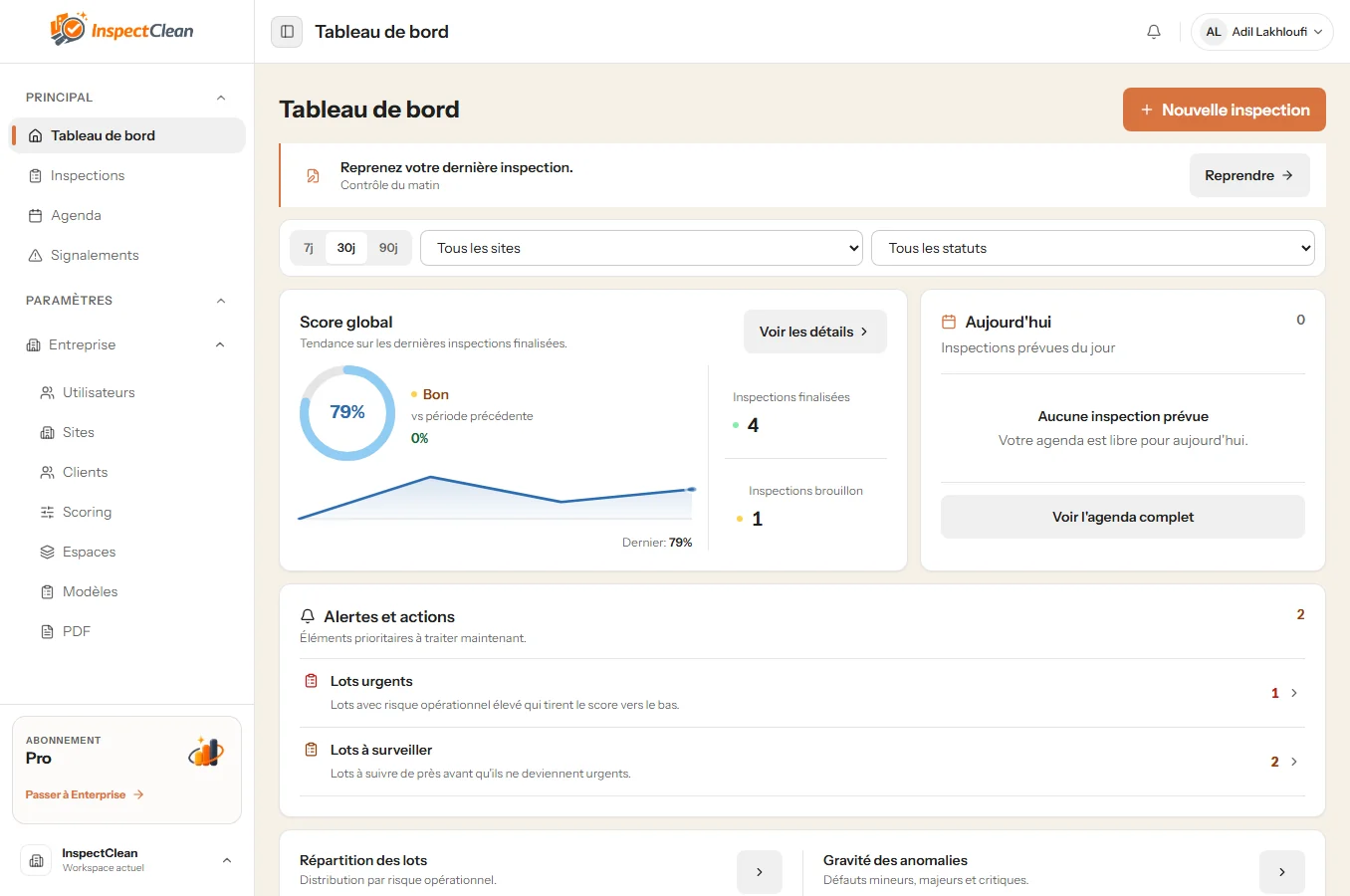
Official product captures show the main workflow landmarks: a structured inspection, space control and PDF report settings adapted to the organization.
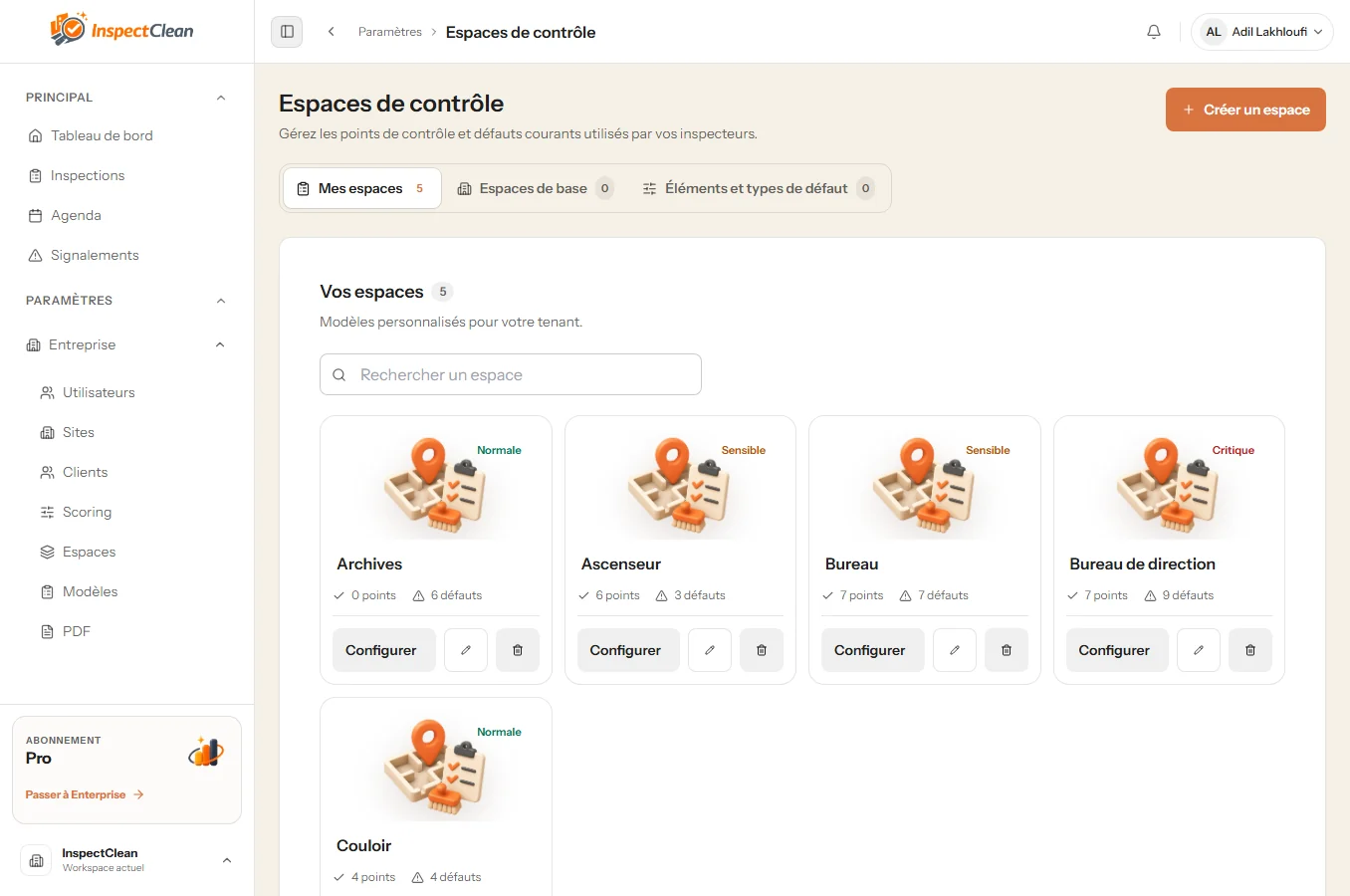
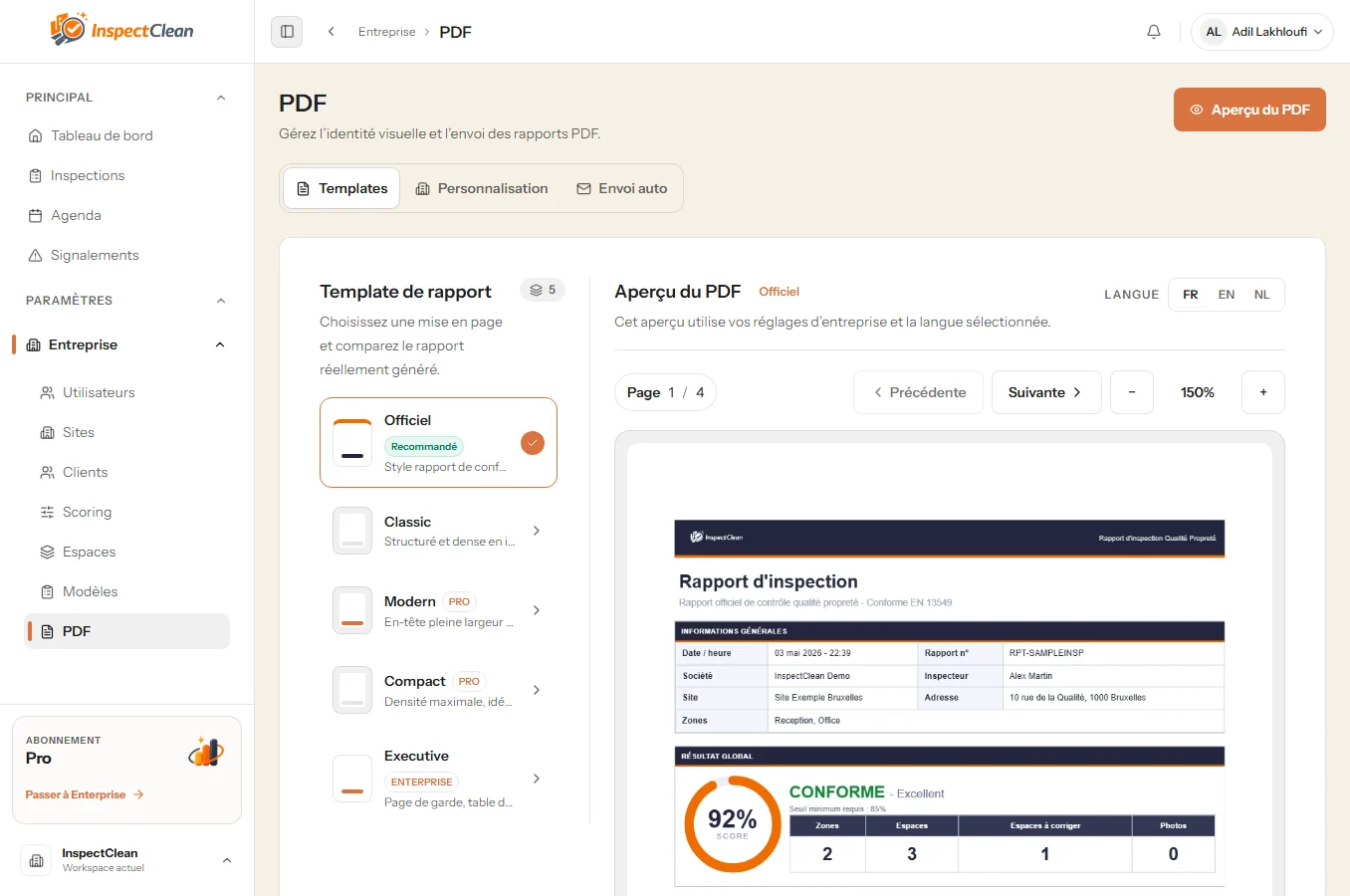
InspectClean interface examples for inspections, spaces and PDF reports.
Method
The flow stays clear for a supervisor and a field inspector. Each step leaves information that the next team member can use.
Choose the site, zones and, when relevant, the inspection template to use.
Follow the structure prepared for the review and work through the relevant spaces point by point.
Qualify the service, document findings and create a field issue when an action needs follow-up.
Review the results and finalize the inspection. Offline work synchronizes when the network returns.
Produce a structured PDF report for the client, site manager or operations team.
Who it is for
InspectClean is built for organizations that inspect cleaning services and need reliable information to move between the field, operations and the client.
Standardize inspections and reports across contracts or sites.
Track compliance, issues and corrective actions with one shared method.
Prepare reviews, support field teams and share findings with context.
Run a guided mobile inspection with evidence attached to the right place.
Compare visits and keep one consistent view as the scope grows.
Use cases
The same foundation can support different moments in the service relationship without inventing a customer-specific story.
A supervisor reviews the spaces, adds observations and shares a usable report after the visit.
A company keeps a comparable method for different buildings and finds inspections in one workspace.
A targeted inspection gathers the photos, comments and results needed to document the situation.
Inspection results are brought together in a clear document instead of being rebuilt from separate sources.
Compare methods
Traditional methods still have their place. InspectClean becomes useful when teams repeat inspections, keep evidence and report results more regularly.
| Method | Centralization | Evidence and history | Reporting and follow-up |
|---|---|---|---|
| Paper | Binders and local archives to coordinate. | Photos and context added separately. | Data entry or formatting repeated after the visit. |
| Excel | Possible, but files and versions multiply. | Photos and comments are often kept elsewhere. | Reports need an extra preparation step. |
| Scattered messages and photos | Conversations split by team or site. | Context becomes difficult to find in the thread. | Conclusions are rebuilt manually. |
| InspectClean | Sites, zones, inspections and teams in one workspace. | Scores, comments, photos and issues linked to the review. | PDF report and action follow-up in one workflow. |
FAQ
Straight answers to help you decide whether InspectClean fits your way of working.
It is a tool used to prepare inspections, evaluate services, keep evidence and follow up on issues. InspectClean brings these steps into one workflow.
Select a site, move through the planned zones and checkpoints, add scores, photos and comments, then finalize the inspection and generate the report.
Yes. Photos and comments can be added during the review so a result or issue keeps its context.
Yes. A finalized inspection can generate a structured PDF report to share with a client, site manager or operations team.
Yes. Sites, zones and inspections are organized in one workspace, which helps maintain a common method across locations.
Yes. The InspectClean mobile app is designed for field inspections with an interface adapted to mobile devices.
Yes. The inspection flow can keep offline changes locally and synchronize them when the network returns.
Keep exploring
See the full product and workflow overview.
Explore audits, office cleaning, common areas and reporting services.
Learn more about reporting inspection results to clients.
Explore the mobile workflow, field evidence and offline continuity.
Review plans and capacity for your organization.
Tell us about your sites and inspection workflow.
InspectClean
See how InspectClean can structure quality checks and reports without adding another handoff between the field and the client.
A demo adapted to your sites and field teams.